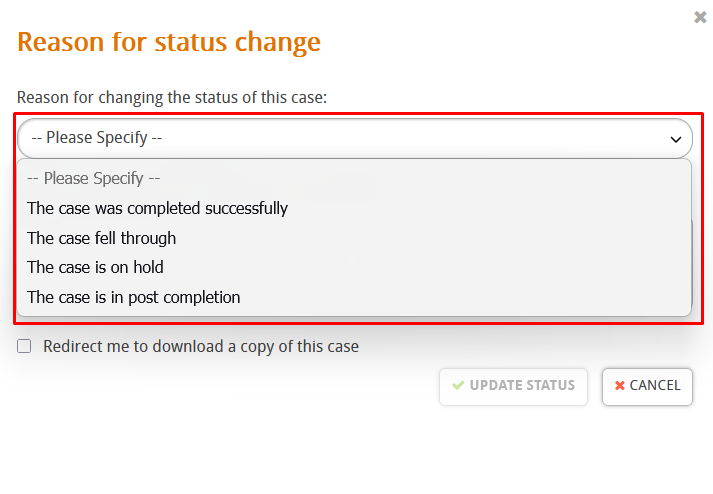
In this guide we’ll look at how to change the status of cases in Hoowla. We have 4 options to choose from, fallen through, on hold, closed successfully and post completion. Each has it’s own purpose. A brief explaination of each would be,
- Post Completion: The case is in it’s final stages before being closed, usually around the time the Land Registry application is submitted or things are being finalised.
- On Hold: The case is “on pause” for many reasons. It could be a hold up in getting documents back from a client, this status is up to your interpretation of how you want to use it.
- Closed Successfully: The case has completed and everything has been done, this is what you would change the case to for archiving purposes.
- Fallen Through: The client has decided not to proceed or other factors have caused the case to no longer be workable or completed.
How can I updated the status?
Start by going to the case you want to update, click on the address to enter the case,

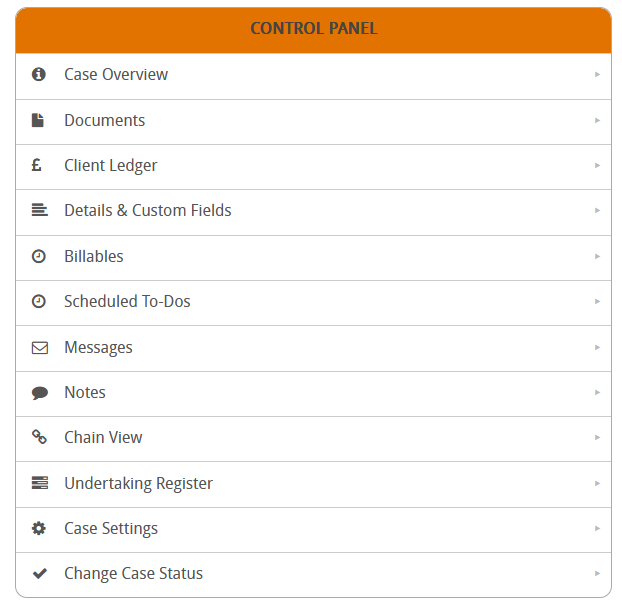
Scroll down to the control panel,
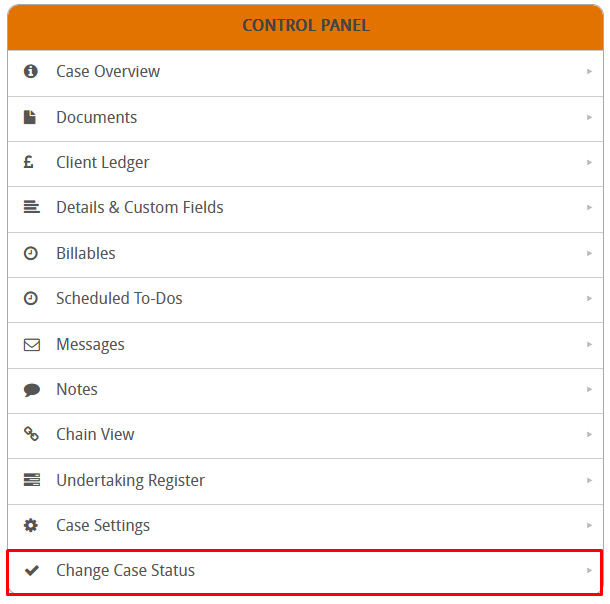
Click on change case status,
Select the status you want to update the case to,
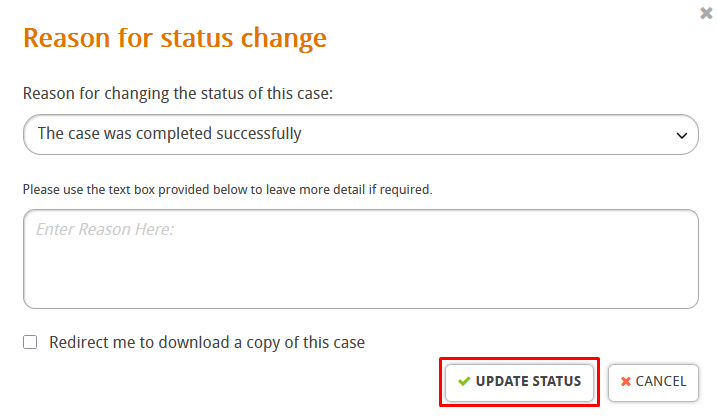
Finally press update status,