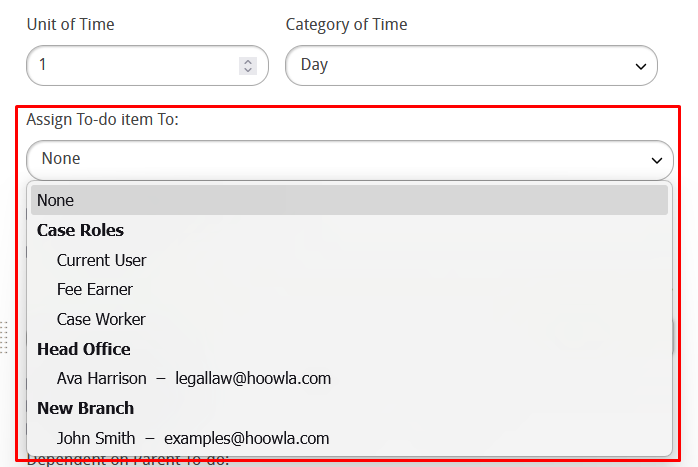
In this guide we’ll look at how to set custom timeframes on to-dos and have them assign themselves to people on the case for them to complete. It’s important to note that you will need branch manager permissions or higher to action the points in this guide.
How can I do this in Hoowla?
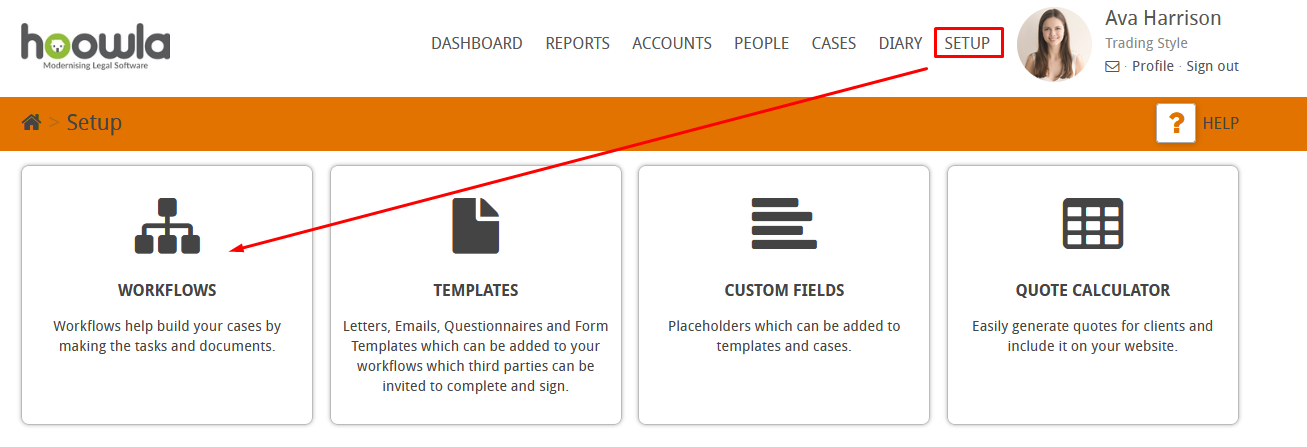
Let’s start by going to Setup and then to workflows,
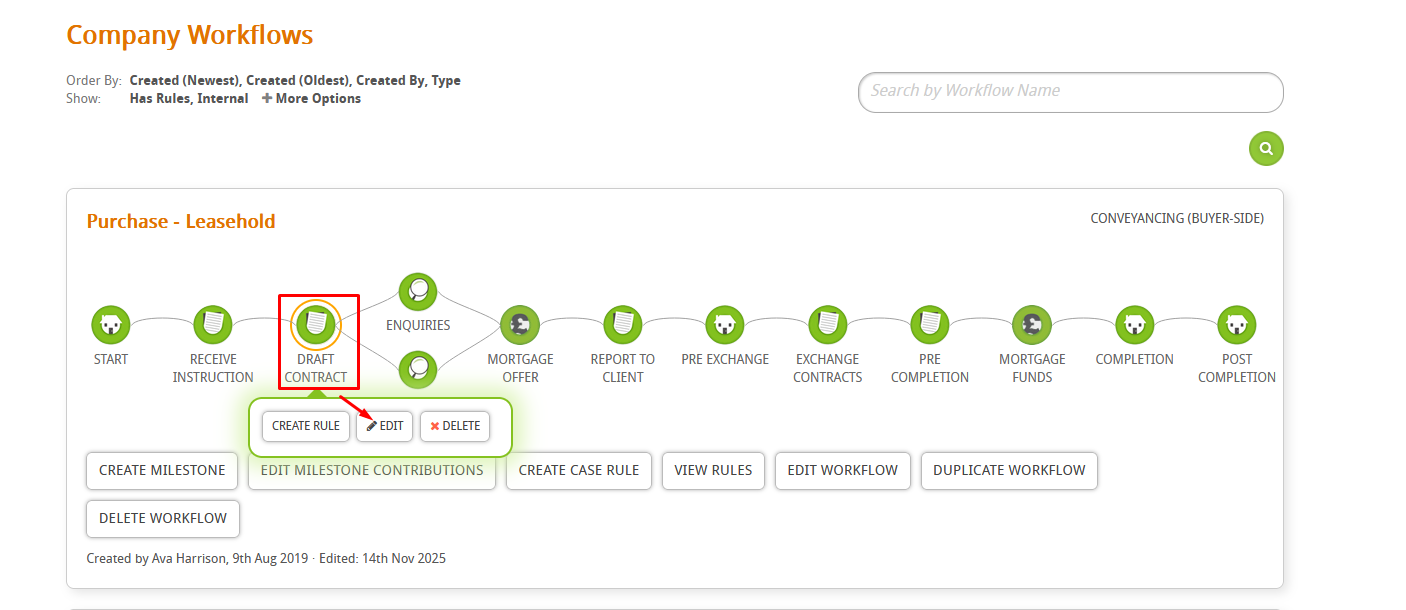
Pick the milestone that has the to-dos in it that you want to assign,
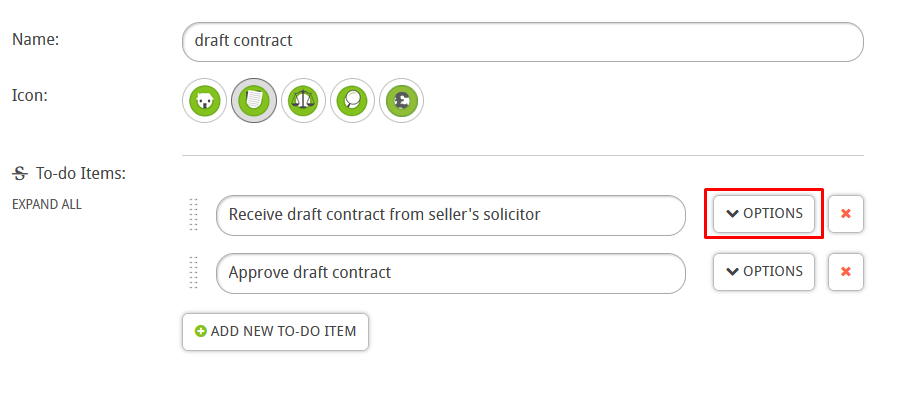
Go to the to-do that you want to assing to a user and press the options button,
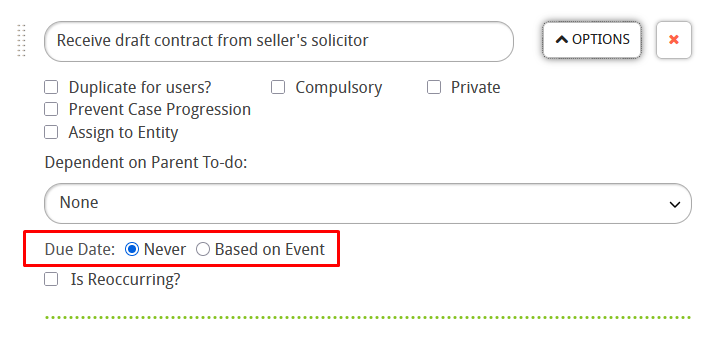
Change the due date to “based on event” so you can set a due date for the to-do,
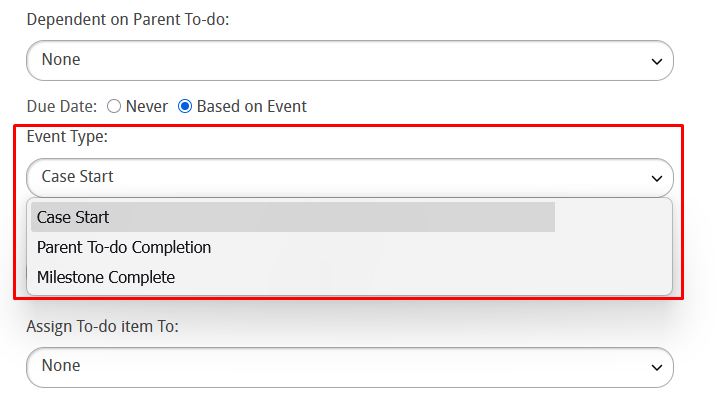
You can pick from the different event types available, for example “milestone completion” will trigger the to-do to be assigned the due date when the milestone is complete,
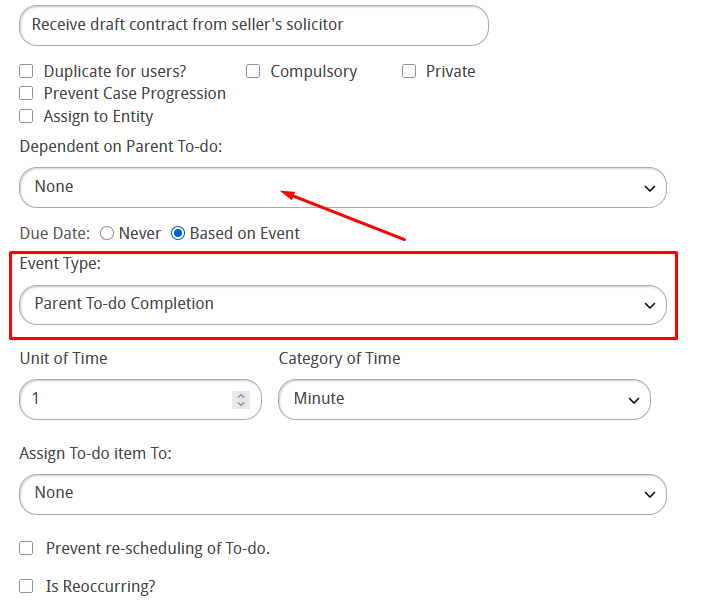
Parent to-do completion means that when a to-do of your chosing is completed (marked as done) it will trigger the to-do you’re editing to be assigned to the user, this is the most popular option of the three,
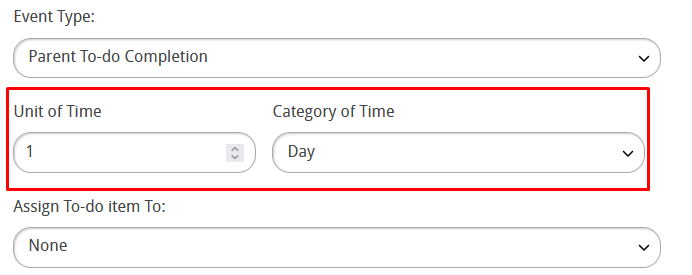
You can customise the units of time here, this will decided what date the to-do is due by,
Finally you can pick the person you want to assign the to-do to,